HuntWise
Montana Hunting Reference
Hunt Wise is a mobile application for a safer and more informed hunting experience in Montana. It serves as a comprehensive reference guide, simplifying the often complex and changing landscape of hunting rules and regulations within the state. Hunt Wise prioritizes your safety in the field, offering valuable insights on hunter safety practices and providing quick access to first aid resources in the event of an emergency.
Tools and Software:
- Adobe Express
- Adobe Photoshop
- Google Forms
- WebEx
- Python
The Problem
Over time, state governments have taken on a larger role in managing and conserving wildlife populations, protecting natural habitats, and promoting sustainable hunting practices to ensure a harmonious relationship between humans and nature. These laws, decisions, and best practices are updated and lumped into multiple large documents each year by the fish and game department. Currently, the only access to these rules and regulations (in Montana) is through physical or digital versions of the handbooks. Navigating these texts is inefficient, oftentimes causing confusion and uncertainty for novice and experienced hunters.
Problem Research
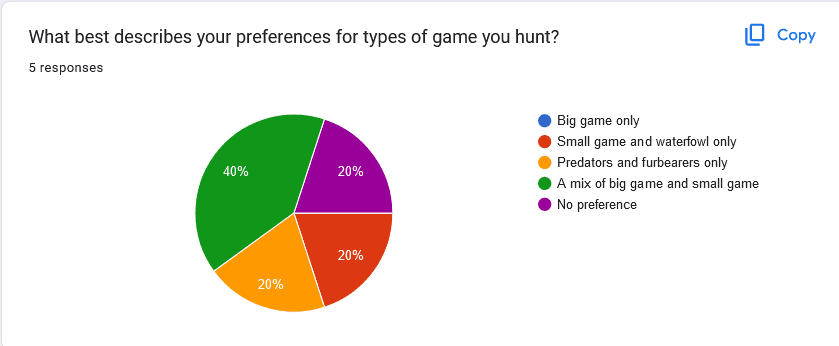
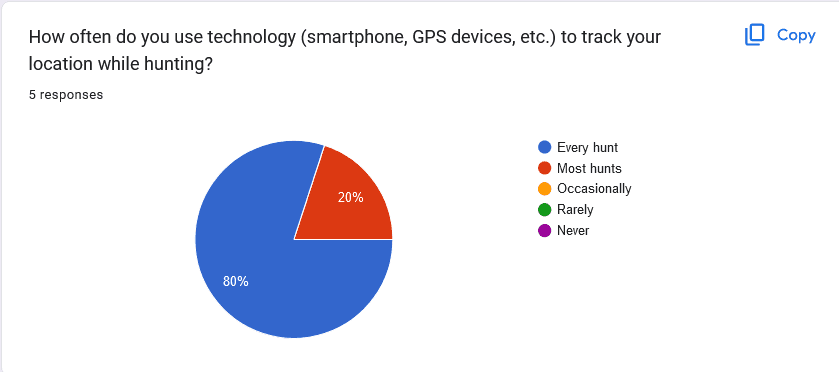
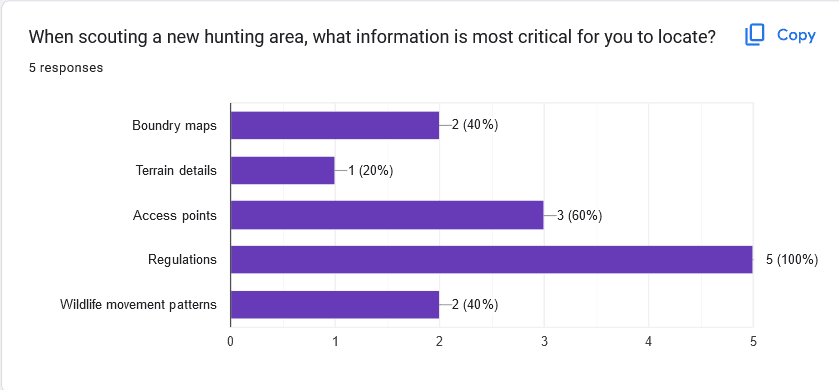
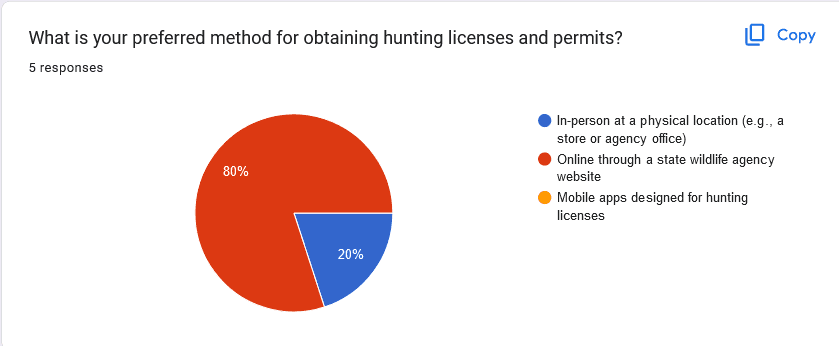
A survey was sent out to five people, that together are representative of the target audience. Surveys were conducted using Google Forms, the data collective responses were used to guide future stages.
Generating Personas
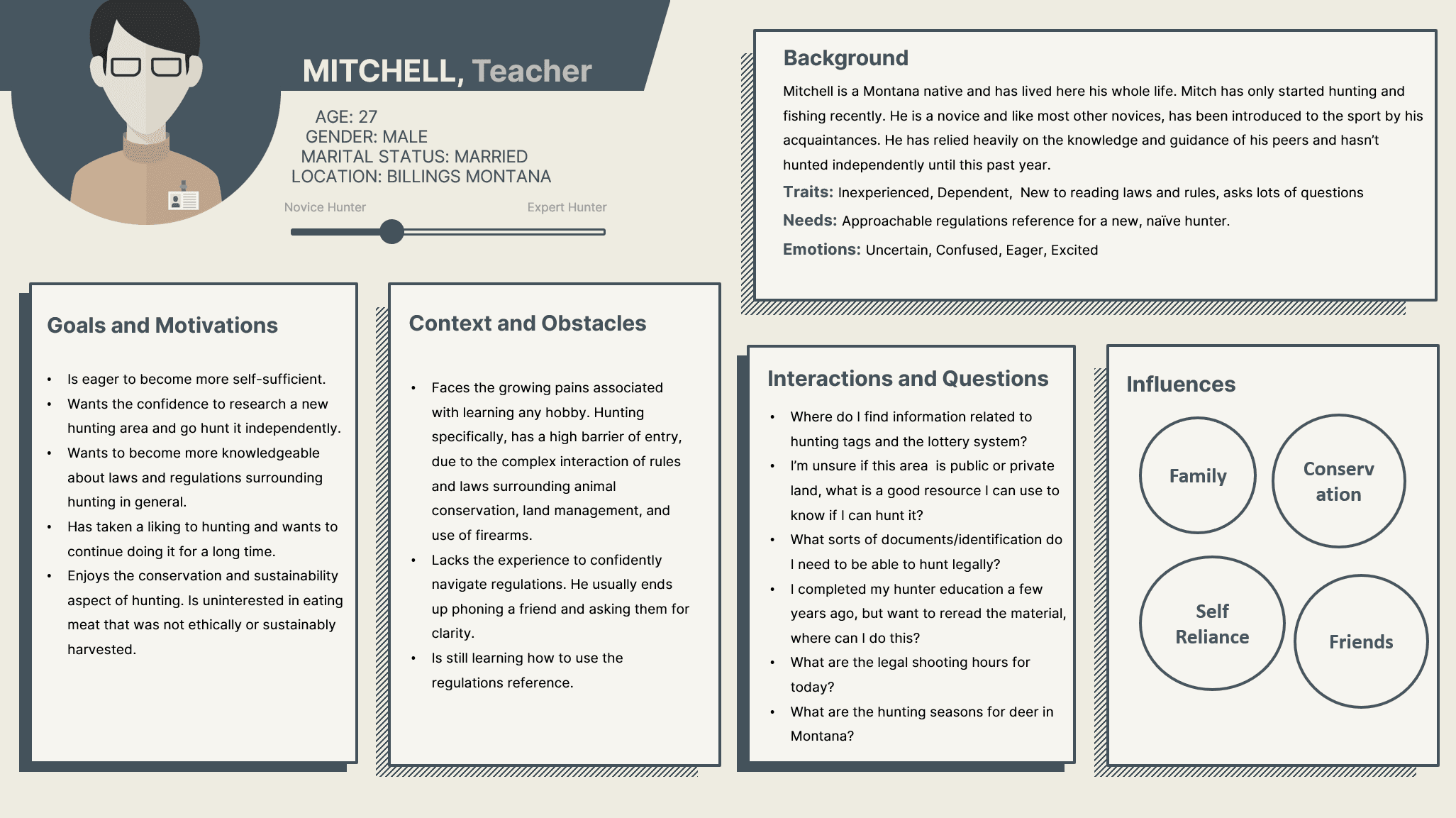
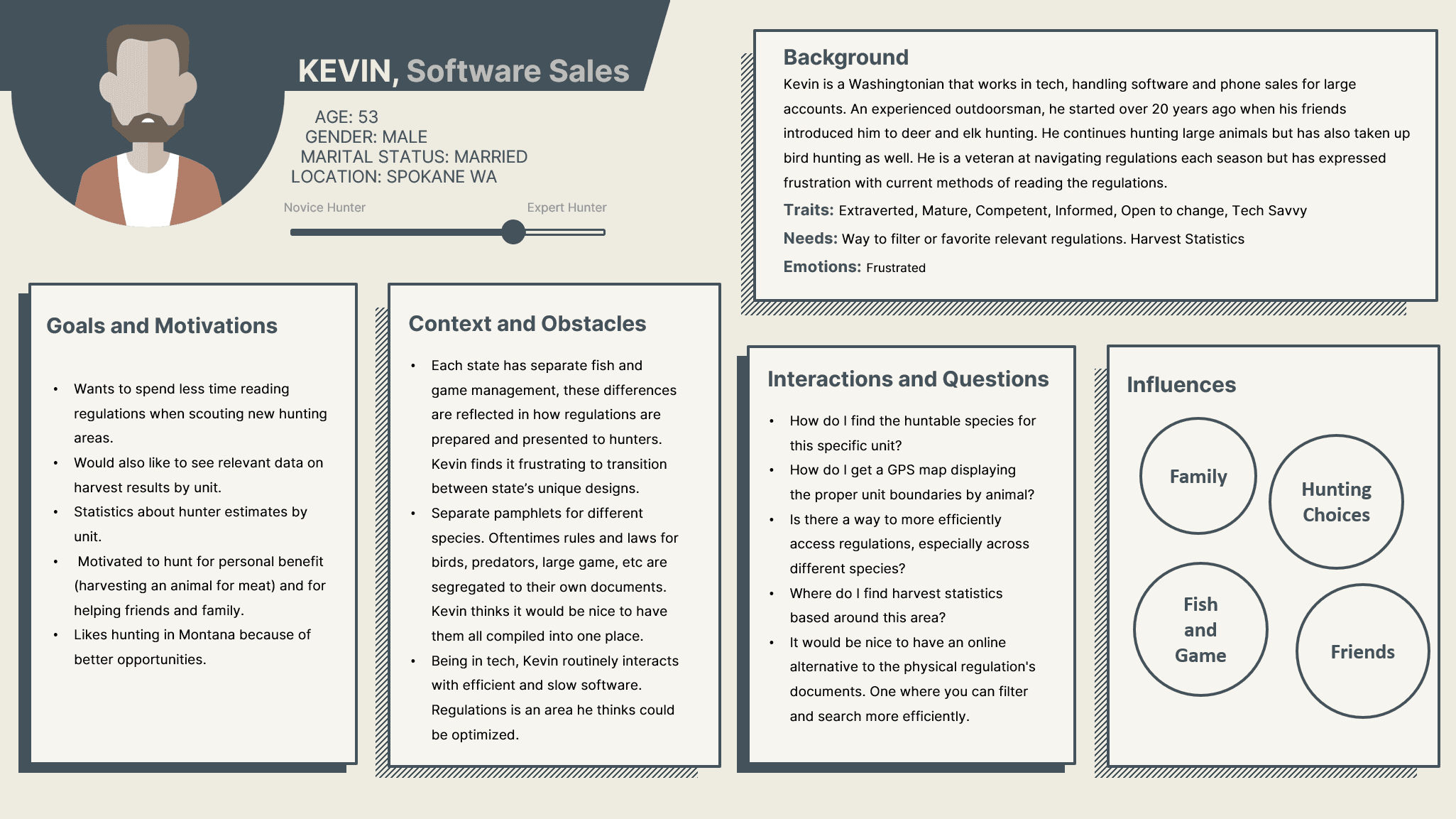
The process of generating the personas started by reviewing the empathy maps and the conclusions based on the survey results. The problem research stage indicated common frustrations and pain points from our small sample size of respondents. This stage helped clarify the requirements of the application based on the information and responses from stage one. I see the personas as holding "meta" information about the users. Extracting out the common responses and thinking about edge cases from certain characters helps separate what's needed and what is not.
Brainstorming Ideas
For the idea generating process I decided to use the Walt Disney's creative strategy of dreamer, realist and critic. The Disney method was also appealing because I already had clear thoughts for certain features liked how the realist perspective focuses on implementation. It helped articulate how features might be created and whether or not they were feasible.
Low-Fidelity Prototype
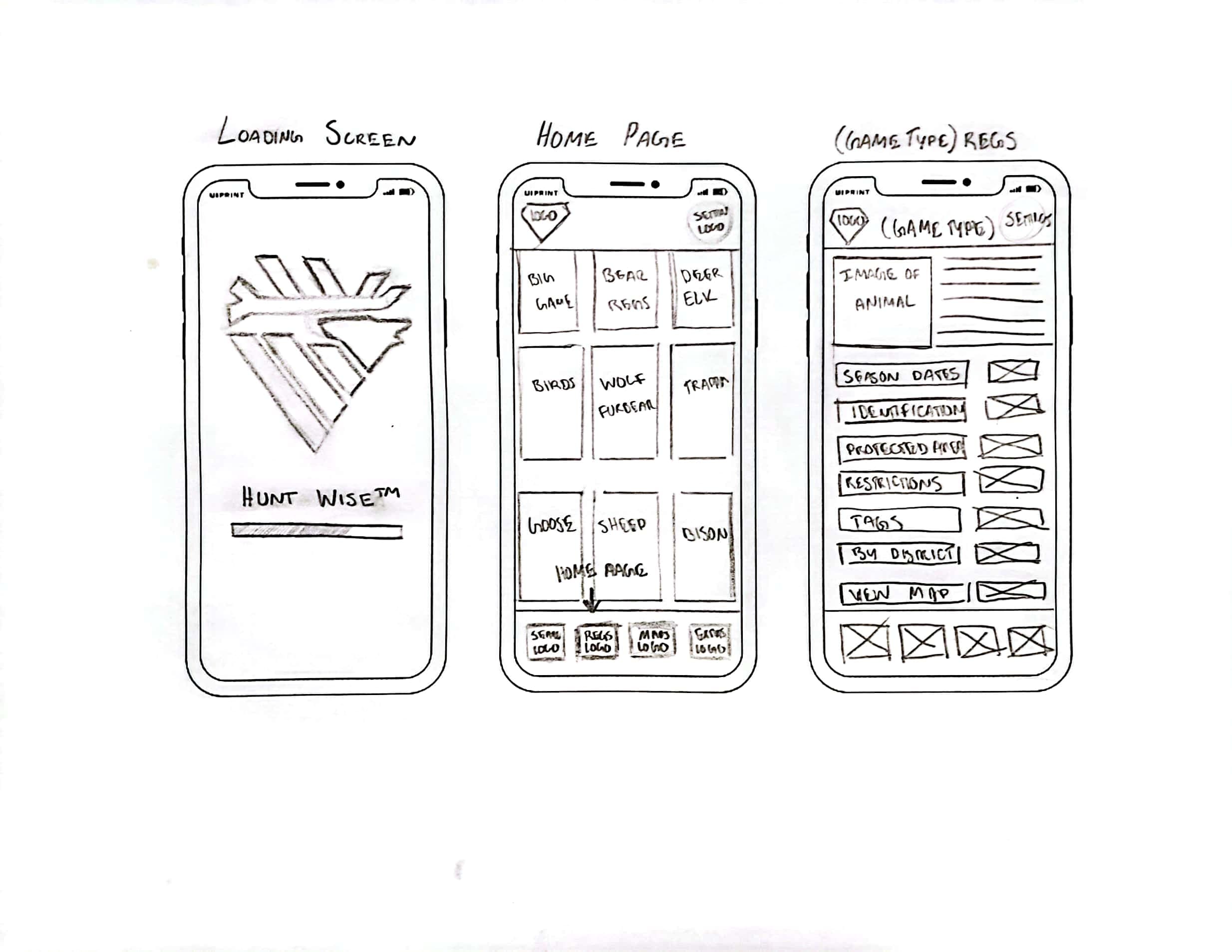
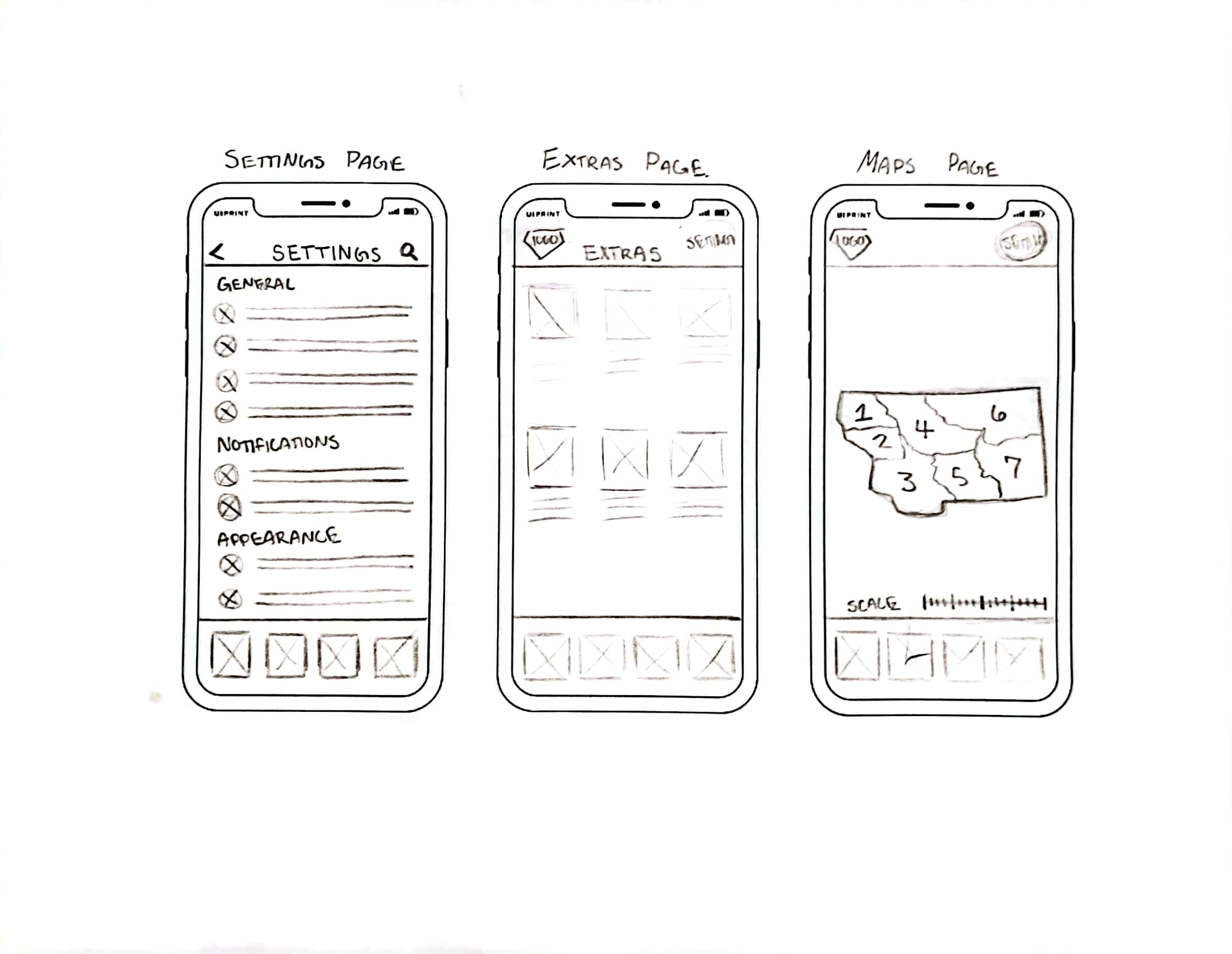
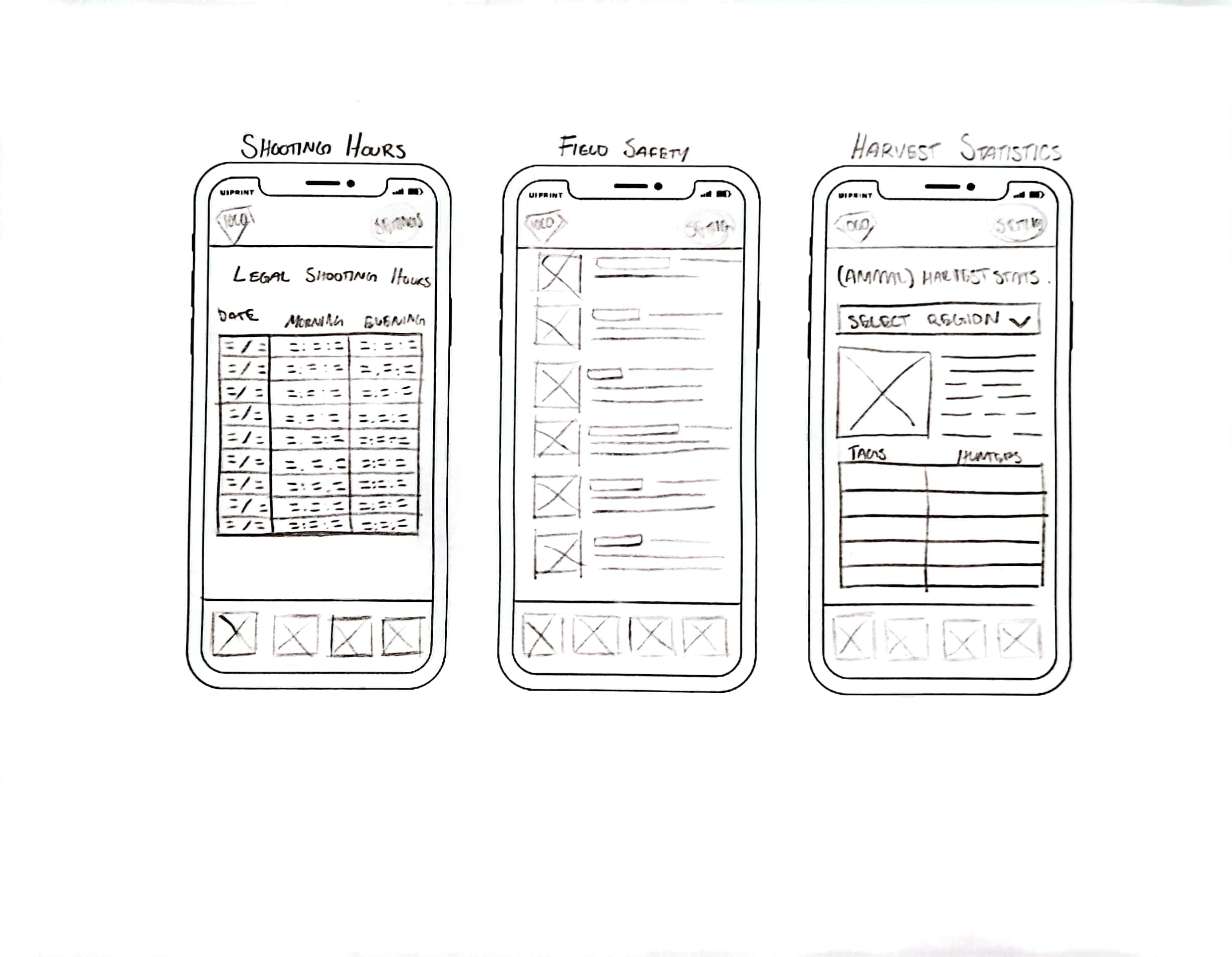
The prototyping process began by drafting out some low-resolution sketches of how the application might be implemented. This is a crucial intermediary step between brainstorming and creating the polished design. I found it to be particularly useful in refining my ideas. I spent a solid chunk of time in this stage, thinking through the layout and how to best structure information. I approached the sketches both from the mindset of a designer and the perspective of a user.
Solution: High-Fidelity Prototype
The designs were created using Adobe XD because of its powerful and efficient software modeling capabilities. Most of the components used in the prototypes were created from scratch. This decision was made so that I would be forced to learn the software and so that I could tailor the UI to my exact needs. A few of the primary motivations for the high-fidelity designs were to make the prototypes visually consistent, minimal and modern.
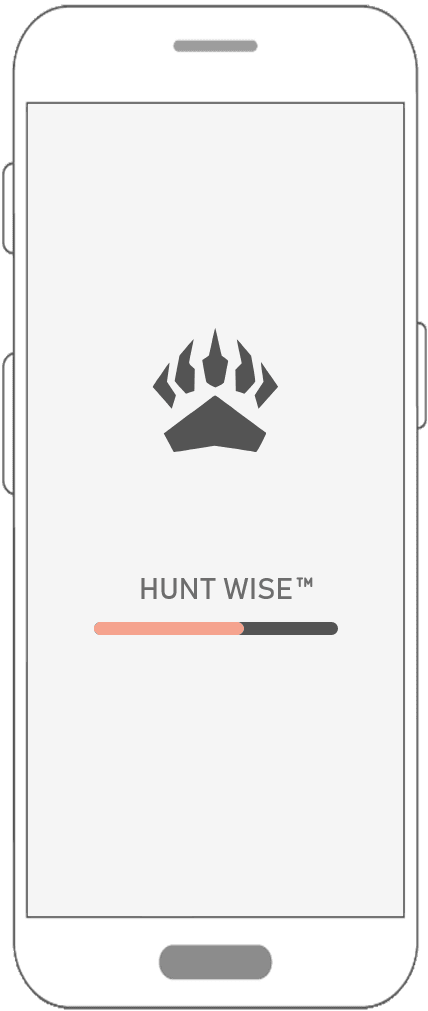
The loading screen for the app provides the user with constant feedback on the state of the system. Most of what the app does is just reading saved data, there are virtually no functions for submitting data, thus there aren't many client-side states that require long operations.
To make interactions easier between the user and the software, the design implements familiar components through text and icons. Throughout the application there are many screens that integrate simple icons with the buttons to make their purpose more relatable and predictable.
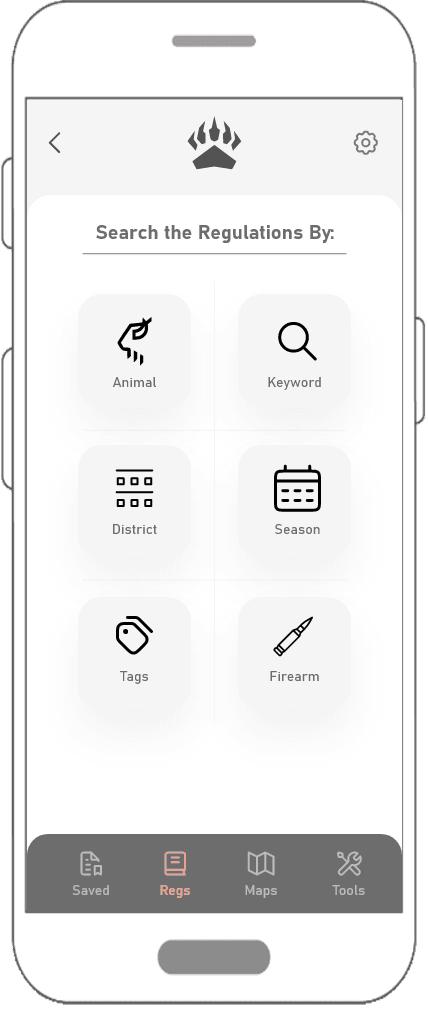
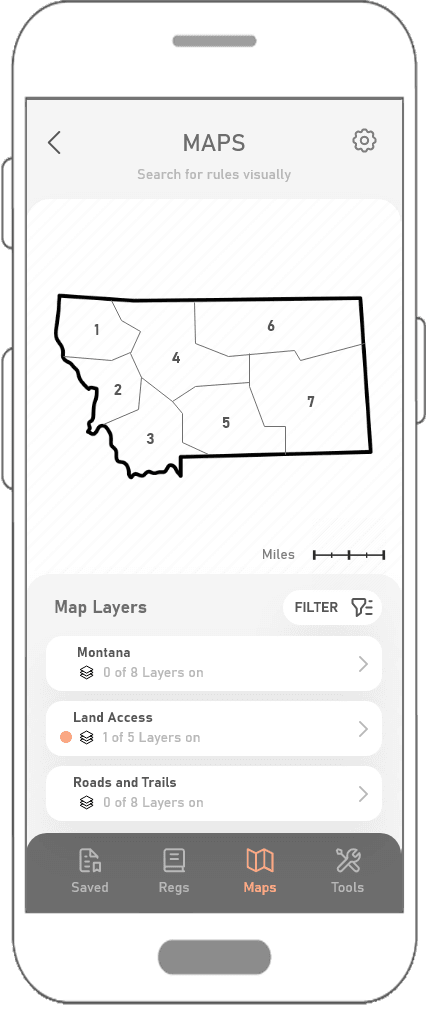
The user is granted control and freedom over how they interact with the application, this is demonstrated most notably within the maps feature. Users are able to choose what information is displayed on the map through the filters and map layers options.
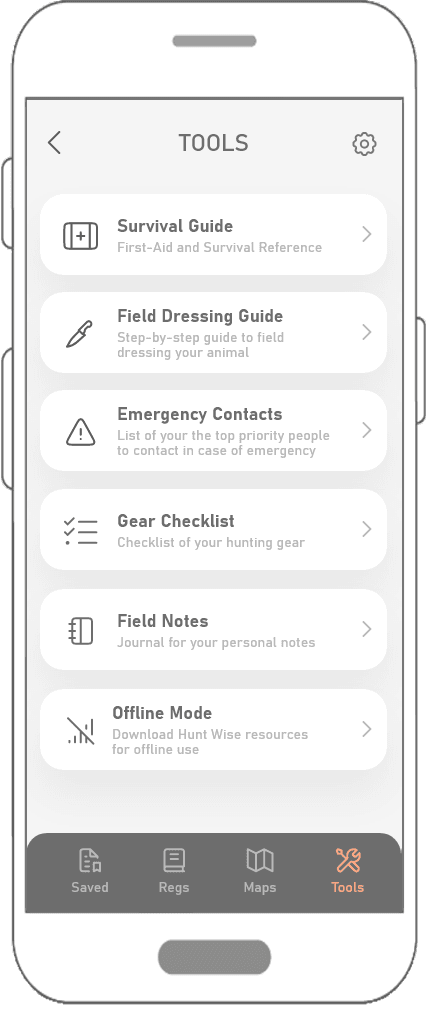
The app as a whole is geared towards a clean and minimalist design. Everything from the logo to the font and icons are meant to be simple and easily understood. It tries to remove all visual clutter but give adequate information so the user can identify all possible actions. This principle is best associated with the tools page. It presents the user with a short list of features within the app, represented using a large icon and large, bolded titles.